The MT4 & MT5 trading journal that fills itself in Notion
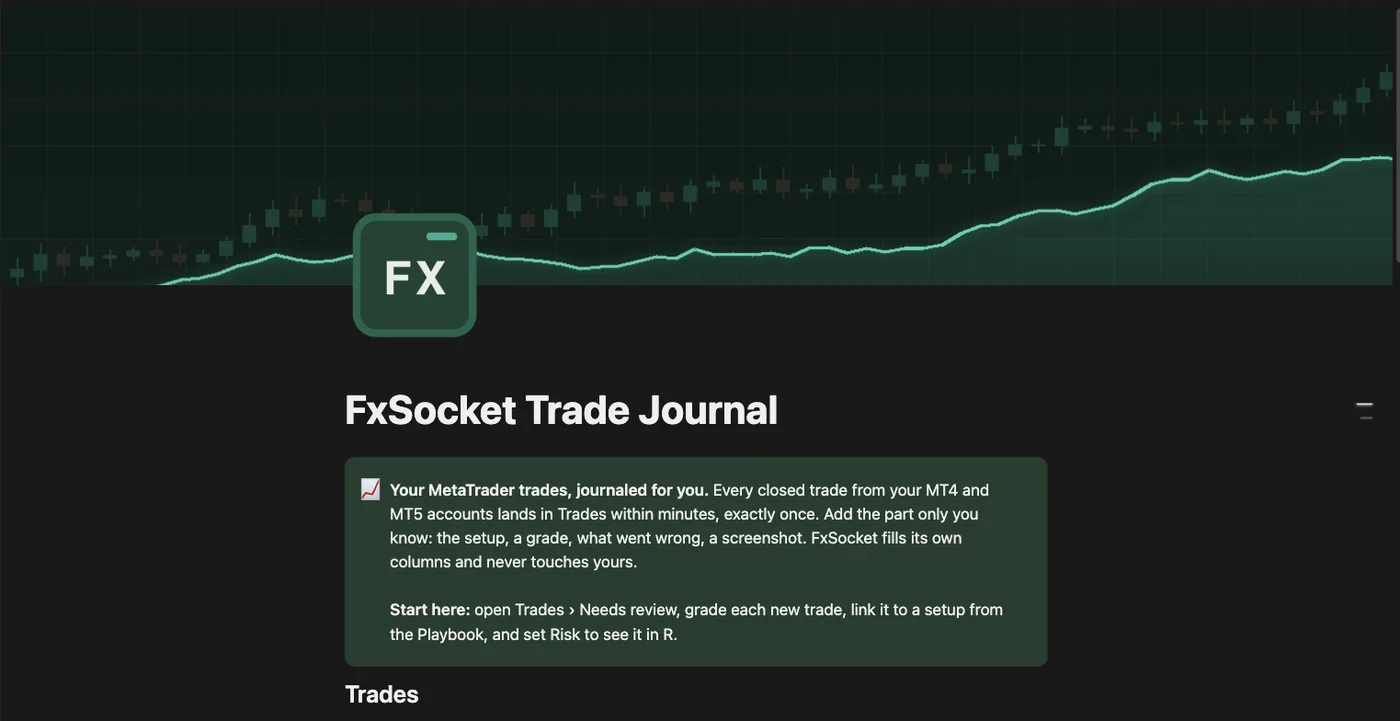
FxSocket turns Notion into a trading journal that keeps itself up to date: every closed trade from your MetaTrader 4 and MetaTrader 5 accounts lands in it a few minutes after it closes, exactly once. Your Notion trading journal comes ready-made, with weekly and monthly reviews, daily balance and equity snapshots and a playbook for your setups. No spreadsheet, no exports, no code.
Why keep a trading journal
Your account history tells you what happened. A journal tells you why, and that is the part you can learn from.
- You find out what actually works. Without notes, a good month and a lucky month look the same. Tag each trade with the setup behind it and after enough trades you can see which setups pay and which only felt good.
- Mistakes turn into patterns you can fix. One broken rule is a bad trade. The same rule broken every Friday afternoon is a habit, and a column for mistakes makes it a filter instead of a vague feeling.
- You judge decisions, not outcomes. A good trade can lose and a bad one can win. Grading the decision apart from the result keeps you from learning the wrong lesson from either.
- Risk stays honest. Writing down what each trade risked and reading results in R makes it obvious when position sizes start to drift.
- Reviews need a record. A weekly review is only as good as the data behind it. Most journals die because logging every trade by hand is tedious, and that is exactly the part this one takes over.
Why a journal that fills itself
- Nothing gets skipped. A journal you fill in by hand is complete in the good weeks. This one also has the trades you would rather not write down.
- The numbers are your broker's. Prices, volume, swap and commission come straight from the account's history, net profit included, in the account currency.
- Your time goes into the review. The logging is done before you open Notion. What is left is the part only you know: the setup, a grade, what went wrong, a screenshot.
- Read-only on the trading side. FxSocket reads the trade history and can never place, change or close an order.
What is Notion?
Notion is a workspace app for notes, documents and databases, used by millions of people for everything from to-do lists to company wikis. Its databases are what make it a good home for a trading journal: every trade is a row with typed columns for numbers, dates, tags and links, and the same rows can be shown as a table, a calendar, a board or a chart, filtered and grouped however you like.
Notion runs in the browser and has apps for desktop and phone, so the journal goes wherever you review your trading. Its free plan is enough for everything on this page.
A ready-made Notion trading journal template
Connecting adds the FxSocket Trade Journal template to your workspace. Here is what is in it.
Every closed trade, once
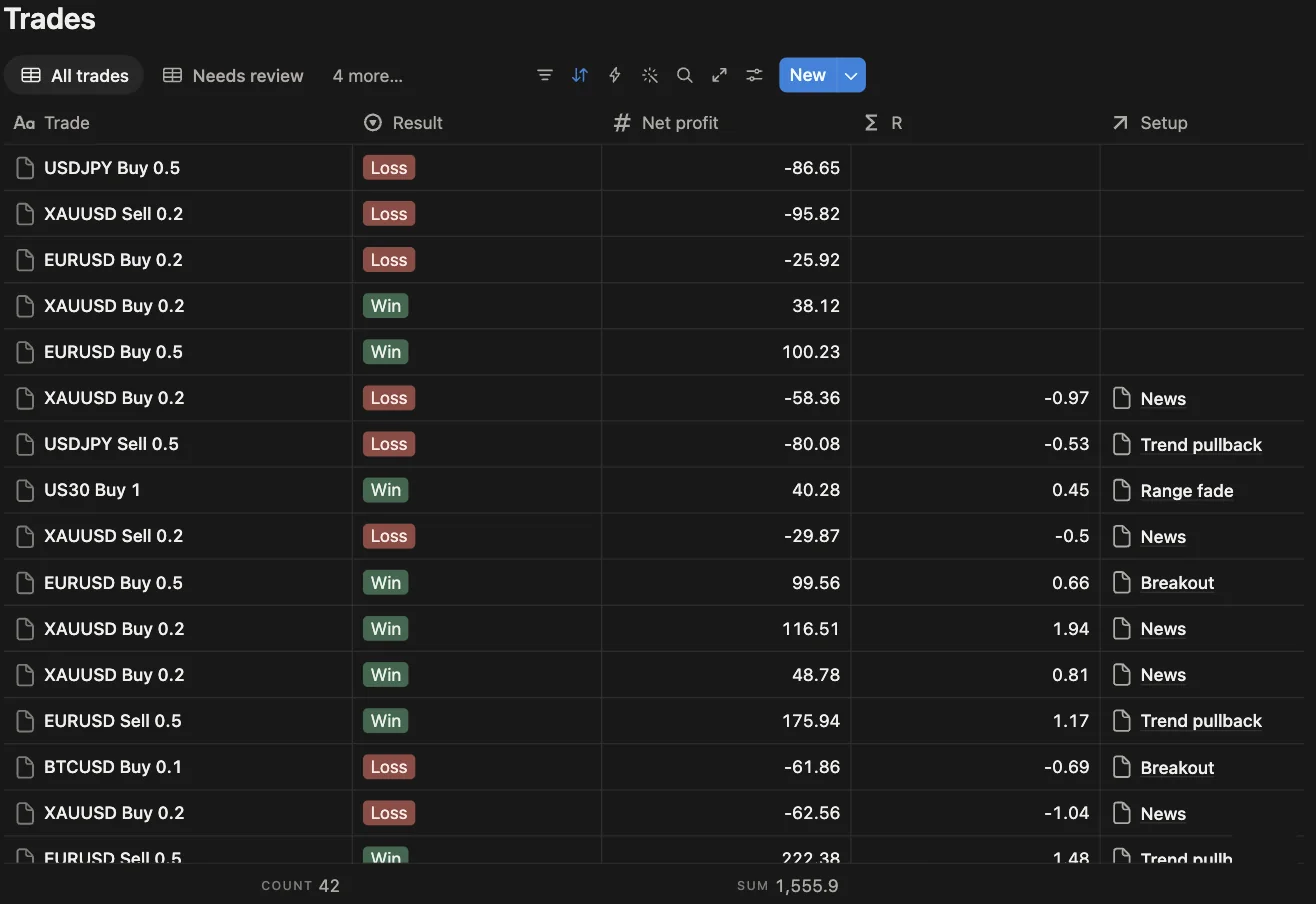
One row per closed position: symbol, side, volume, open and close time and price, profit, swap, commission and net profit, with the account and platform it came from. A retried or interrupted sync never writes a trade twice.
Views for the review are already set up: Needs review, a calendar, and trades by result, by account and by symbol.
Weekly and monthly reviews
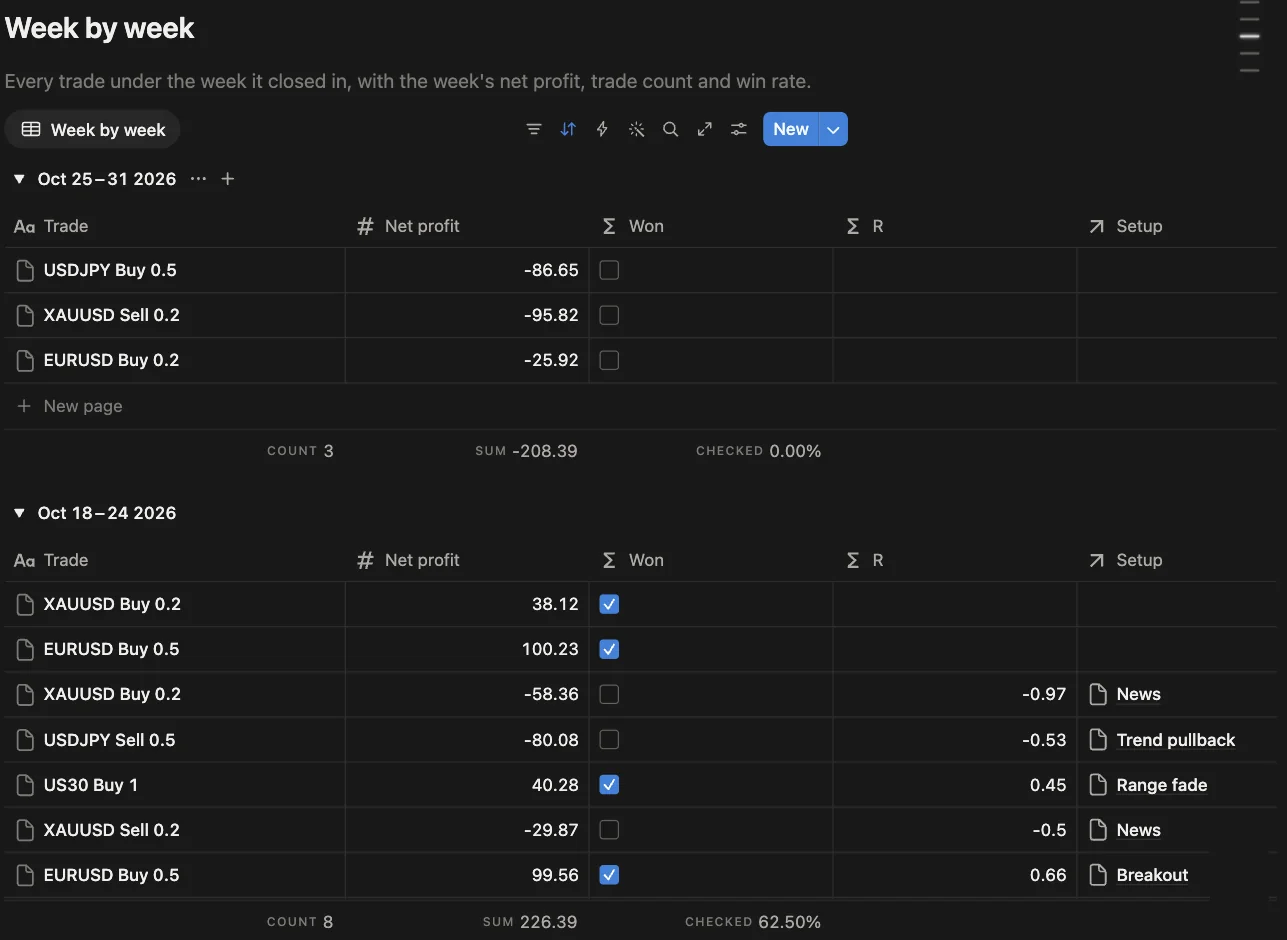
Every trade sits under the week and the month it closed in, with net profit, trade count and win rate per group, next to a cumulative P&L curve. A Reviews database holds what each week or month taught you.
A playbook that keeps score
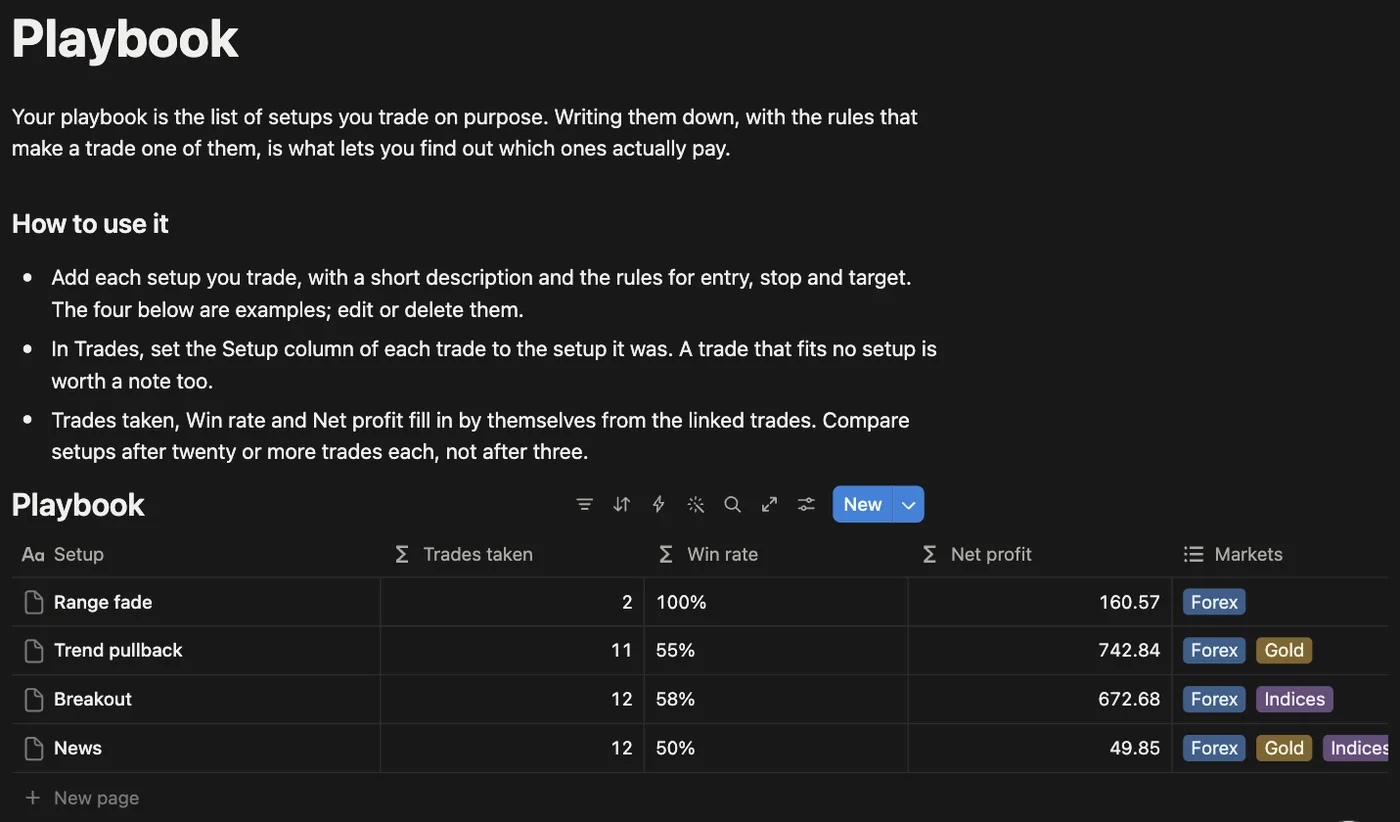
Write down the setups you trade on purpose and link each trade to one. Trades taken, win rate and net profit per setup fill in by themselves, so you see which setups pay after twenty trades instead of guessing after three.
Daily balance and equity
Once a day, after 21:00 UTC, each account gets a row with balance, equity, floating P/L and margin, so the record includes the days you held positions without closing any.
Grade, Mistakes, Emotion, Risk, Notes and Screenshot are your columns to fill in. Set Risk and the trade shows up in R.
Set up in two minutes
Link your MetaTrader account
Add your MT4 or MT5 account in the FxSocket dashboard, demo or live.
Connect Notion
Click Connect Notion and keep “Use a template provided by the developer”. Notion adds the journal page to your workspace.
Choose accounts and history
Pick the accounts to journal and how far back to import, from 7 days to all history. The first trades appear within five minutes, and new ones follow on their own.
The step-by-step guide walks through it with screenshots, including what each column holds and what FxSocket can see in your workspace.
Questions
What does it cost?
The Notion connection costs nothing extra. It runs on your FxSocket account, which is €12 per MetaTrader account per month on Starter, with flat plans for larger setups.
Do I need a paid Notion plan?
No. Notion's free plan is enough. A free Notion workspace allows one chart, and the template uses exactly one, the cumulative P&L curve.
Which accounts work?
Any MetaTrader 4 or MetaTrader 5 account you link to FxSocket, demo or live. Several accounts can feed the same journal; each row says which account it came from.
Can a trade show up twice?
No. Each position is written once, matched by its position ID and login. A sync that is interrupted, retried or run again after a reconnect checks what is already in the journal first.
How far back does it import?
You choose: the last 7, 30 or 90 days, the last year, or all history. Notion accepts about three writes a second, so a long history arrives over a few passes.
Can I change the journal?
Yes. Add columns, views and pages as you like. FxSocket only fills the columns it created and never deletes or retypes one.
What happens when I disconnect?
The sync stops and FxSocket forgets the workspace. Everything already written stays in your Notion.
See pricing for the plans, or try the free statement analyzer on an exported MT4 or MT5 statement first.