MetaTrader 5 Python on Mac & Linux, and MT4 from Python
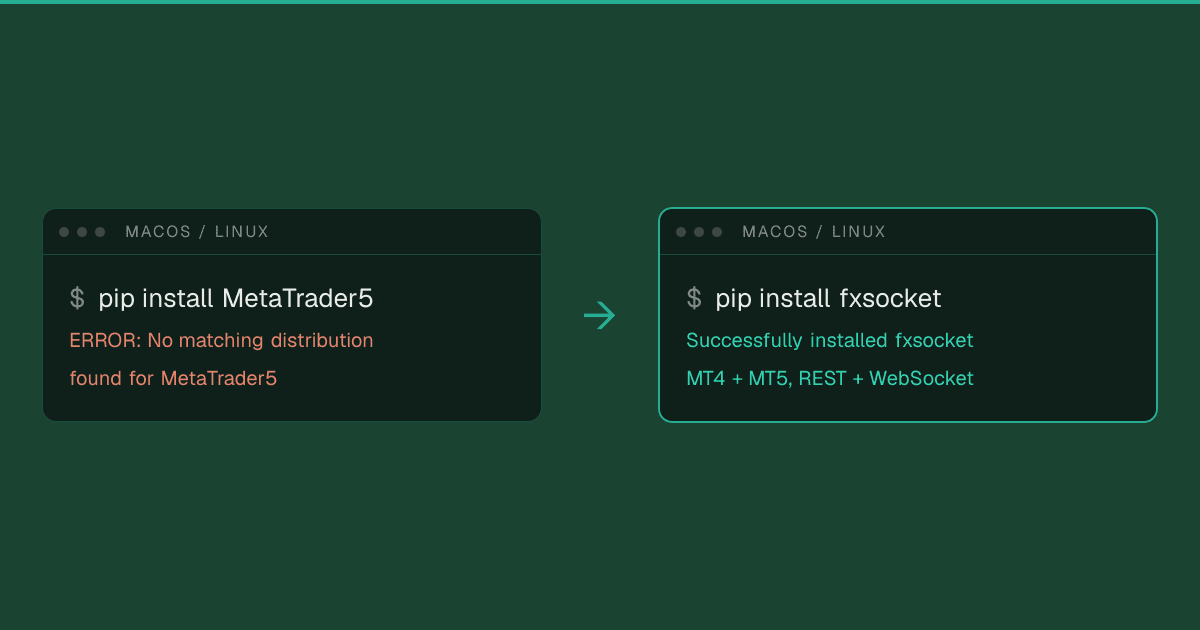
You run pip install MetaTrader5 on a Mac or a Linux machine, and pip gives up:
$ pip install MetaTrader5
ERROR: Could not find a version that satisfies the requirement MetaTrader5 (from versions: none)
ERROR: No matching distribution found for MetaTrader5
Nothing is wrong with your Python. MetaQuotes only builds the package for Windows, and even there it is not an API in the usual sense. It is a connector to a MetaTrader 5 terminal running on the same machine. This guide explains what that means, what the workarounds on macOS and Linux involve, what to do about MT4, which has no Python package at all, and when it makes sense to skip the local terminal entirely.
The short answer
The official MetaTrader5 package ships only Windows builds and talks to a running MT5 terminal on the same computer. On macOS and Linux there are three ways around that: a Windows virtual machine or VPS, the terminal and the package inside Wine with a helper such as mt5_mac on a Mac or mt5linux on Linux, or a hosted API that runs the terminal for you and works from any OS.
MetaTrader 4 has no official Python package. From Python you reach it through an Expert Advisor bridge or a hosted API.
Why pip install MetaTrader5 fails on Mac and Linux
Look at the files on the package's PyPI page. At the time of writing, the current release, 5.0.6231 from September 2026, ships nine wheels, one for each Python version from 3.6 to 3.14, and every one of them is built for win_amd64. There is no source distribution either, so on macOS or Linux pip finds nothing it may install and nothing it could build. That is the from versions: none in the error.
A Linux build would not help much anyway, because of what the package is. MetaQuotes' documentation describes it as a way of getting data "via interprocessor communication directly from the MetaTrader 5 terminal". When your script calls initialize(), the package finds the terminal installed on the same machine, starts it if needed, and talks to that process. Your script, its Python interpreter and the terminal all run on one Windows machine:
import MetaTrader5 as mt5

# Finds the MT5 terminal on this machine, or starts it
if not mt5.initialize(login=12345678, password="...", server="Broker-Server"):
    print("initialize() failed:", mt5.last_error())
    quit()

print(mt5.account_info().equity)
tick = mt5.symbol_info_tick("EURUSD")
print(tick.bid, tick.ask)

mt5.shutdown()
What the package doesn't do, even on Windows
Before you build a setup around it, know the limits that have nothing to do with your operating system:
- MT5 only. There is no MetaTrader 4 version, and the package cannot log in to an MT4 account.
- One terminal, one account at a time. The package is a set of module-level functions, not a client object, so a Python process works with one terminal, and a terminal is logged in to one account.
login()switches accounts. Trading several at once means several terminal installations, each driven by its own process. - No events. Nothing in the function list pushes data to you. To react to a new tick or a filled order, you poll
symbol_info_tick()orpositions_get()in a loop. - The terminal is your job. If it closes, restarts for an update or loses its broker connection, your script is talking to nothing until it is back.
Using the MetaTrader5 package on macOS
MetaQuotes offers a macOS installer for the terminal. It downloads Wine, a compatibility layer for Windows programs, and installs MetaTrader inside it, on Intel and Apple Silicon Macs alike. That gets you the trading app, but not Python: the package needs a Windows build of Python inside the same Wine environment, and the installer does not set one up. For MT5 Python code on a Mac, there are four routes.
Inside MetaQuotes' Mac app, with mt5_mac
mt5_mac does that missing step for you. On first use it downloads a Windows Python, installs the official package into the Wine environment bundled with MetaTrader 5.app, and gives your Mac's Python the same functions:
import mt5_mac as mt5   # pip install mt5_mac

if not mt5.initialize():   # needs the MetaTrader 5 app installed
    quit()
mt5.login(12345678, "...", "Broker-Server")
print(mt5.account_info())
mt5.shutdown()
It is the shortest path on a Mac, and also a young project: its first release came out in July 2026, and the GitHub repository its PyPI page links to was not reachable when we checked. Read what you install before you give it a broker password. The terminal still runs on your Mac, so it stops when the Mac sleeps. mt5-mac-bridge takes a similar route over RPyC, to the Mac app or a Docker container, and adds an offline mock for tests.
A Windows virtual machine
Parallels, VMware Fusion or UTM, with Windows, the MT5 terminal and Python all inside the VM. This is the closest to the setup MetaQuotes documents, and the most dependable local option. On Apple Silicon the VM runs Windows 11 on ARM. Since the package only has x64 builds, install the x64 Python from python.org, which Windows runs under its built-in emulation. Your code then lives in the VM too, or reaches into it over a bridge.
Docker with Wine
Community projects pack Wine, the terminal and the package into a container and expose it to your Mac's Python over the network. siliconmetatrader5 is built for Apple Silicon on Wine and QEMU emulation. Its own README recommends a native Windows machine for live trading that needs low latency or involves serious money. mt5linux, covered in the Linux section, can also start its container for you.
A Windows VPS
Rent a Windows server, install the terminal and Python there, and run your script on it. That also solves the next problem, a terminal that has to stay online while your laptop sleeps, at the cost of a second machine to look after.
Using the MetaTrader5 package on Linux
On Linux, MetaQuotes supports the terminal through Wine and publishes an install script that sets up both on Ubuntu, Debian, Linux Mint and Fedora.
Python is the part MetaQuotes leaves to you. The package only runs on the Windows side of Wine, so you need Python there too, plus a bridge your normal Linux Python can call. mt5linux handles both: it ships a standalone Windows server, mt5server.exe, that you start under Wine next to the terminal, and your Linux code calls it over RPyC. Its fork, pymt5linux, does the same with a Windows Python you install inside Wine yourself. With the server running, your script looks almost like the Windows one:
# Linux Python; the terminal and mt5server.exe run under Wine
from mt5linux import MetaTrader5

mt5 = MetaTrader5(host="localhost", port=18812)
mt5.initialize()              # the account the terminal is logged in to
print(mt5.account_info())
mt5.shutdown()
It works, and plenty of people run it. Just be clear about what you now operate: Wine, a Windows terminal, the Windows side of the bridge and the bridge itself, plus a virtual display or VNC if the machine has no screen. Every piece has to survive updates and reboots, and every account still needs its own terminal. The Docker images from the same projects bundle all of it into one container, which makes the setup repeatable but not smaller.
What about MetaTrader 4 and Python?
There is no official Python package for MT4, on any operating system. MT4 and MT5 are separate platforms with separate servers, so the MT5 package is no help either. The usual answer is an Expert Advisor that acts as a bridge: it runs inside the terminal and exchanges messages with your Python code.
- DWX Connect from Darwinex works with MT4 and MT5 and passes messages through files in the terminal's folder, so your script runs on the same machine as the terminal.
- The older DWX ZeroMQ Connector does the same over ZeroMQ sockets. Its repository has not changed since 2022.
- MtApi is an open-source .NET bridge with an EA in the terminal. Python reaches it through pythonnet, on Windows.
- PyTrader connects over WebSockets, with the EA as the server, so the EA can run on another computer. Its demo mode is limited to five symbols; full use needs a license.
- Or you build your own, with
WebRequest()calls from MQL4 or a DLL.
Every bridge has the same shape as the MT5 package: a terminal you keep running and logged in, one per account, on a machine you look after. And MetaQuotes' Manager API is no way around it, since that is a toolkit for brokers, not traders, as our guide to the MetaTrader Server, Manager and Web API explains.
The options side by side
| Option | Your OS | MT4 | MT5 | Terminal you run | Live updates |
|---|---|---|---|---|---|
| MetaTrader5 package | Windows | No | Yes | One per account, on your machine | Polling |
| Package in a Windows VM or VPS | Any, with Windows in the VM or on the VPS | No | Yes | One per account, in the VM or on the VPS | Polling |
| Package under Wine (mt5_mac, mt5linux, Docker) | macOS, Linux | No | Yes | One per account, under Wine | Polling |
| Expert Advisor bridge | Wherever the terminal runs | Yes | Yes | One per account, on your machine | Whatever the EA sends |
| Hosted API (FxSocket) | Any | Yes | Yes | None, it runs in the cloud | WebSocket stream |
| Other hosted APIs (MetaApi, mtapi.io) | Any | Yes | Yes | None, the provider runs it | Depends on the provider |
Skipping the local terminal
Everything above keeps a terminal on a machine you look after. The other way is to let a service run it. FxSocket starts a dedicated MT4 or MT5 terminal for each account in its cloud, keeps it logged in, and gives you a REST API and a WebSocket stream. It is not the only hosted option: MetaApi and mtapi.io also run MetaTrader terminals for you, each with its own SDKs and pricing. The examples here use FxSocket because it is ours.
The Python SDK installs wherever Python 3.10 or newer runs, macOS, Linux and Windows included:
pip install fxsocket
You link each account once, with its normal broker login, in the dashboard or from code:
from fxsocket import Client

with Client(api_key="fxs_live_...") as fx:
    account = fx.accounts.create(
        platform="mt5",   # or "mt4"
        server="Broker-Server", login=12345678, password="...",
    )
    print(account.id, account.status)   # connecting, then connected
From then on you talk to that account's terminal, from any machine:
from fxsocket import Client

with Client(api_key="fxs_live_...") as fx:
    term = fx.terminal(fx.accounts.get("YOUR_ACCOUNT_ID"))

    print(term.account_summary().equity)
    print(term.quote("EURUSD").ask)

    result = term.order_send(
        symbol="EURUSD", operation="Buy", volume=0.10,
        stop_loss=1.07, take_profit=1.10,
    )
    print(result.success, result.retcode)
Most MetaTrader5 calls have a direct counterpart, and the same code works for MT4 accounts:
| MetaTrader5 package | FxSocket SDK |
|---|---|
initialize(login=..., server=...) | fx.accounts.create(...) once, then fx.terminal(account) |
account_info() | term.account_summary(), term.account_info() |
symbol_info_tick("EURUSD") | term.quote("EURUSD") |
copy_rates_range("EURUSD", mt5.TIMEFRAME_M5, start, end) | term.price_history("EURUSD", "M5", start, end) |
positions_get(), orders_get() | term.opened_orders() |
order_send({...}) | term.order_send(symbol="EURUSD", operation="Buy", volume=0.1) |
history_deals_get(start, end) | term.order_history(start, end) |
symbol_info_tick() in a loop | fx.stream(account), then subscribe_prices("EURUSD") |
Instead of polling, you subscribe to the account's stream of ticks, bars, positions and trades:
from fxsocket import Client, Tick

with Client(api_key="fxs_live_...") as fx:
    with fx.stream(fx.accounts.get("YOUR_ACCOUNT_ID")) as s:
        s.subscribe_prices("EURUSD")
        for event in s:
            if isinstance(event, Tick):
                print(event.data.bid, event.data.ask)
Results come back as typed Pydantic models, so a pandas DataFrame of bars is one line: pd.DataFrame([b.model_dump() for b in term.price_history("EURUSD", "H1")]). An async client mirrors the sync one method for method.
When an AI assistant writes the code
A lot of trading code is now written together with an AI assistant, and the assistant does better when it knows the API it is writing against. Our docs are published for that: every docs page has a Markdown version, the whole reference is one file at llms-full.txt, and a rules file for Claude Code, Cursor, Codex and Copilot keeps generated code on the documented endpoints.
The assistant can also look at your accounts directly. Connect the FxSocket MCP server to Claude, Cursor or VS Code, and it can read balances, open positions, trade history, quotes and candles while it writes or debugs your strategy. The MCP server is read-only: it cannot place, change or close an order, so trading stays in the code you review.
What you give up
- It costs money. The
MetaTrader5package is free. FxSocket starts at €12 per account per month. - There is a network hop. Your request travels to the terminal in our cloud, and the terminal talks to the broker. For most strategies that does not matter. If it does for yours, put the terminal close to the broker, for example on a dedicated server in the right region.
- Not every function has a counterpart. There is no tick history like
copy_ticks_range()and no market depth, and bars come in the nine standard timeframes from M1 to MN1. If your research needs raw ticks, the official package on Windows is still the tool for that part. - You hand over a login. The terminal logs in with the credentials you give it. FxSocket is not a broker and has no way to deposit, withdraw or move money, but it can trade, so treat the API key like a password.
Use MT4 and MT5 from Python, on any OS
Connect any MT4 or MT5 account with its normal login, demo or live, and trade it from Python on macOS, Linux or Windows. No Wine, no VM, no terminal to keep running.
Frequently asked questions
Does the MetaTrader5 Python package work on Mac?
Not natively. PyPI only has Windows (win_amd64) builds of the package, so pip install MetaTrader5 fails on macOS with "No matching distribution found". Community packages such as mt5_mac run it inside the Wine environment of MetaQuotes' Mac app. Otherwise you can use a Windows virtual machine, a Docker container with Wine, a Windows VPS, or a hosted API whose Python SDK installs on macOS.
How do I use MetaTrader 5 with Python on Linux?
Install the terminal with MetaQuotes' Wine script, run the package on the Windows side of Wine, and call it from your Linux Python through a bridge such as mt5linux, which forwards the calls over RPyC. Docker images bundle the same pieces. A hosted API removes the terminal from your machine altogether.
Is there a MetaTrader 4 Python API?
Not from MetaQuotes. The official MetaTrader5 package only connects to MT5 terminals. For MT4 you either run an Expert Advisor that bridges to Python, such as Darwinex's DWX Connect, or use a hosted API that covers MT4, such as FxSocket.
Does the MetaTrader5 package need the terminal running?
Yes. It talks to an installed MetaTrader 5 terminal on the same machine. initialize() starts the terminal if it is not running, and the terminal has to stay open and logged in for as long as your script uses it.
Can one Python script trade several MT5 accounts with the MetaTrader5 package?
Not at the same time through one connection. The package works with one terminal per Python process, and a terminal is logged in to one account. You can switch accounts with login(), or run a separate terminal installation and Python process for each account. A hosted API gives you every linked account from one client.
Does the MetaTrader5 package run on Apple Silicon?
Not natively, but MetaQuotes' Mac app runs on Apple Silicon, and mt5_mac can run the package inside it. Alternatives are Windows 11 on ARM in a virtual machine with the x64 build of Python, which Windows runs under its own emulation, or a Docker image that runs the terminal with Wine and QEMU.